


Saturday, 3pm. Three clients walk into your boutique within seconds of one another. One has booked a consultation, another is here for a fitting, the third is waiting on a pickup. Your host has to decide, in real time, who takes whom, with which available staff member, and in what order. Every hesitation stretches the wait, chips away at the experience, and quietly erodes conversion.
What plays out in those few seconds is the operational quality of your brand in store. An underestimated lever, but a decisive one for retailers who want to deliver on their brand promise at every visit. Our May releases speak directly to that: equip your teams to assign faster, keep a real-time view of what's happening on the floor, and handle visits that combine several services in one go.
Here's what's changing in May.
Your in-store teams spend a significant share of their day working with the queue. Six targeted improvements make this faster, smoother, and tighter.
On the mobile app, your teams can now filter the queue by service and by staff member. Less scrolling, more focus on what matters: the client in front of them.
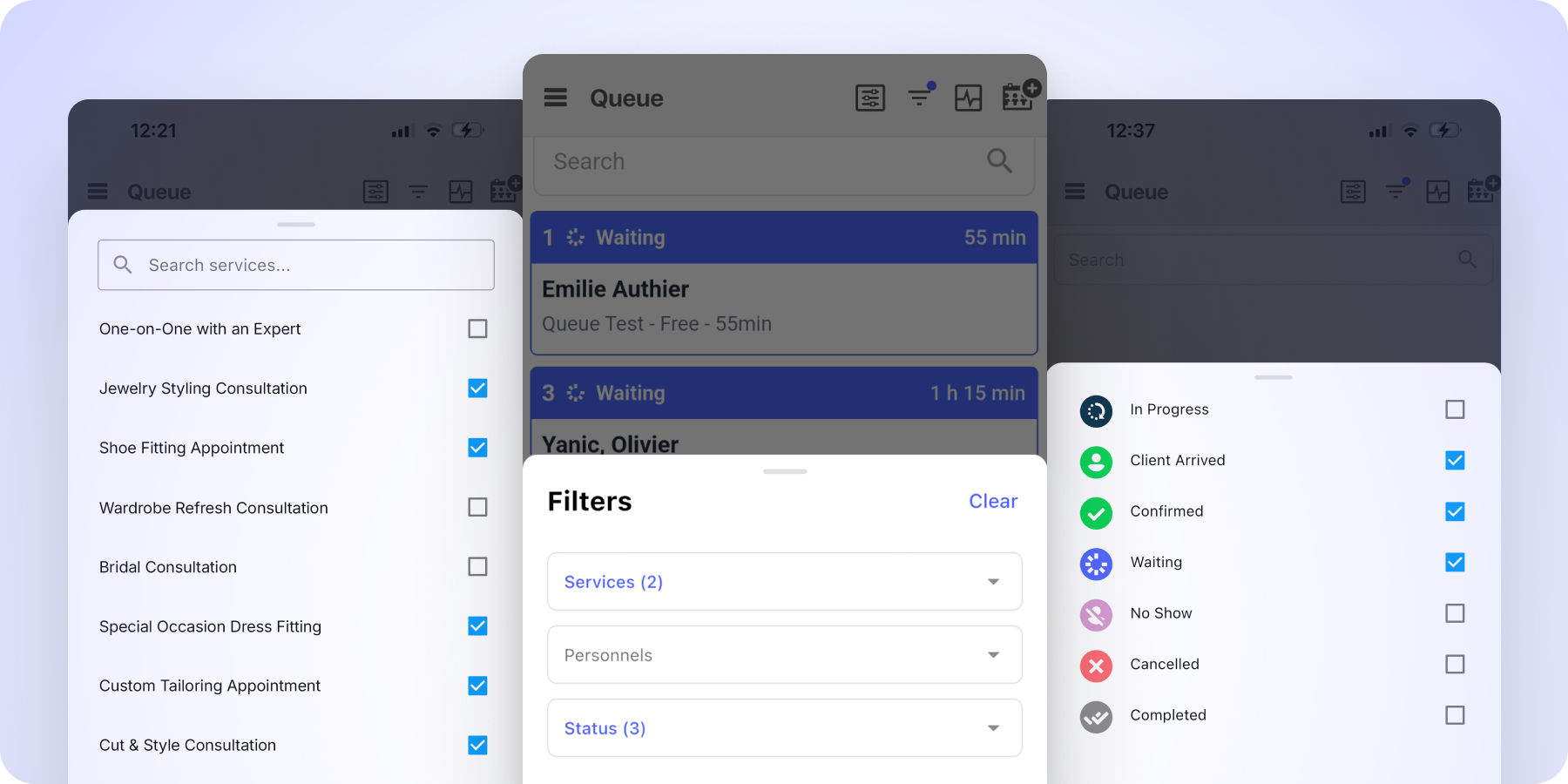
Saved view preferences
Active filters now persist across screens and across sessions, per user. Your teams come back to the queue exactly as they left it, with nothing to reconfigure.
"Quick Note" repositioned
The Quick Note field now sits above the client request when adding someone to the queue. Your teams capture operational notes faster, without unnecessary scrolling.
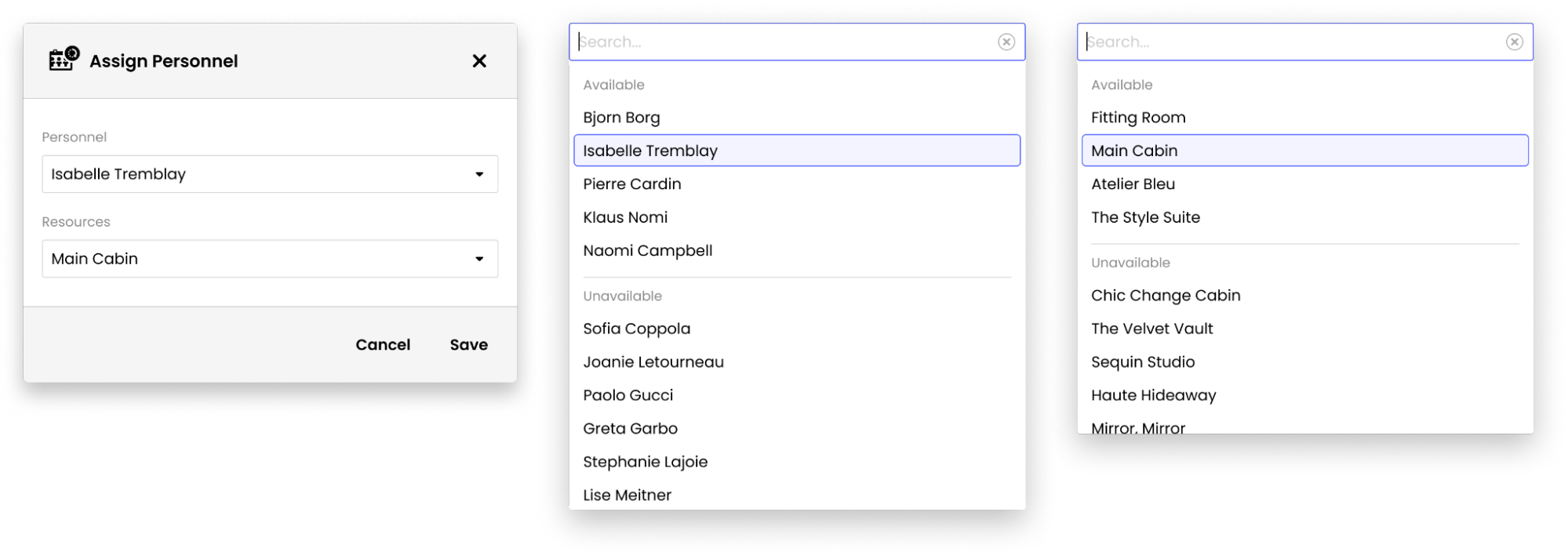
Staff assignment sorted by availability
The staff assignment menu is now organized: team members ready to take the next client appear first, followed by those who are busy or not assigned to this queue. The right choice stands out at a glance, while your teams keep the flexibility to assign a specific staff member when the context calls for it.
Real-time visibility on services in progress
In-progress queue entries now show up in the staff calendar, on both web and mobile, alongside appointments. Your managers see actual occupancy for every team member at a glance, and avoid double-bookings while a service is still underway.

Tighter access rights on queue settings
Queue creation and configuration are now restricted to Admin, Supervisor and Manager roles. You stay in control of how your in-store operations are set up, with no risk of unintended changes by users with more limited permissions.
Two key moments of the client journey gain in clarity and brand consistency.
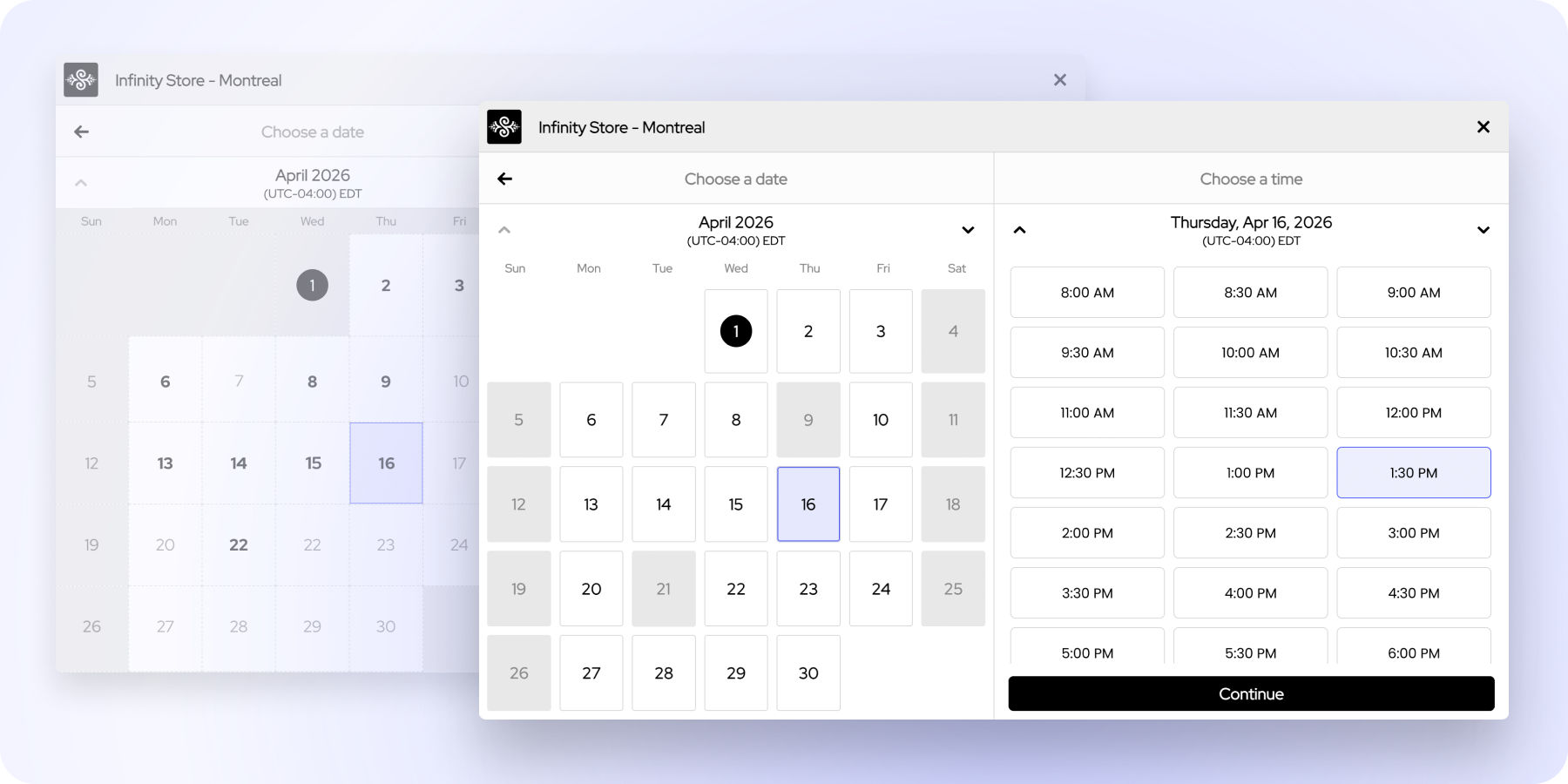
The calendar inside the booking widget has a refreshed, more modern and more readable design. A key step in the client journey that simply gets clearer.
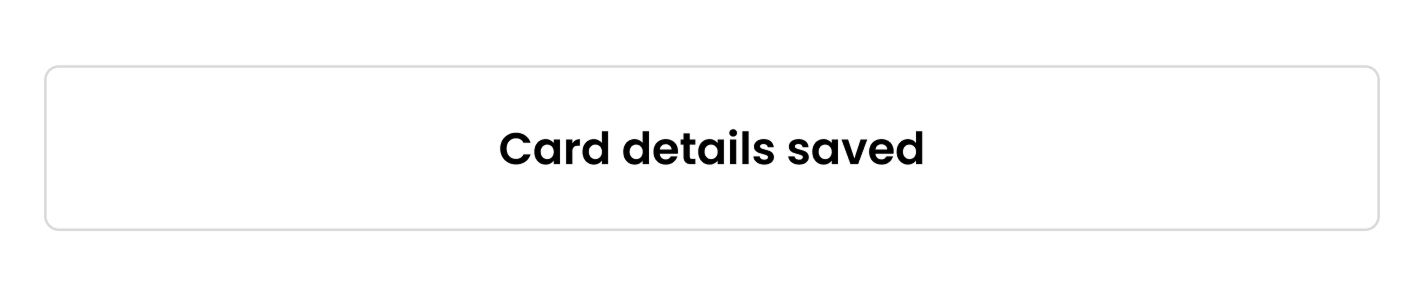
When you use card hold capture, your clients now receive a confirmation email that reflects this mode. If the card hasn't been entered yet, a payment module invites them to provide their details. If it already has been, the email visually confirms that their card information is on file. A clearer experience that strengthens commitment and reduces no-shows.

All phone number fields now include a country selector. Your teams capture international numbers correctly the first time, with a localized format shown as a visual cue. An essential improvement for retailers serving an international clientele.
When a client books several services in a single visit (skin diagnostic + facial treatment + makeup session, for example), the slot offered needs to account for the full combined duration, the transition time between services, and the staff member's actual availability. Your tech teams can now adjust all of these parameters at the request level, via our API. Your clients only see slots that can genuinely be honored in store. No bad surprises when the client arrives: the slot booked covers all the services selected.
A single client will soon be able to join the queue for several services at once. Ideal for combined in-store journeys: consultation and fitting, leather goods and ready-to-wear discovery, or waxing and manicure. A direct answer to the premium scenarios that are becoming more frequent in store.
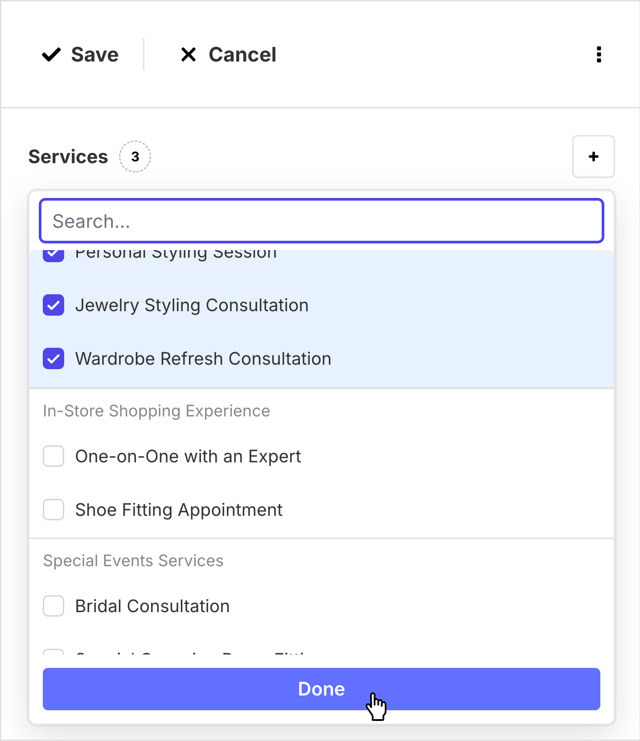
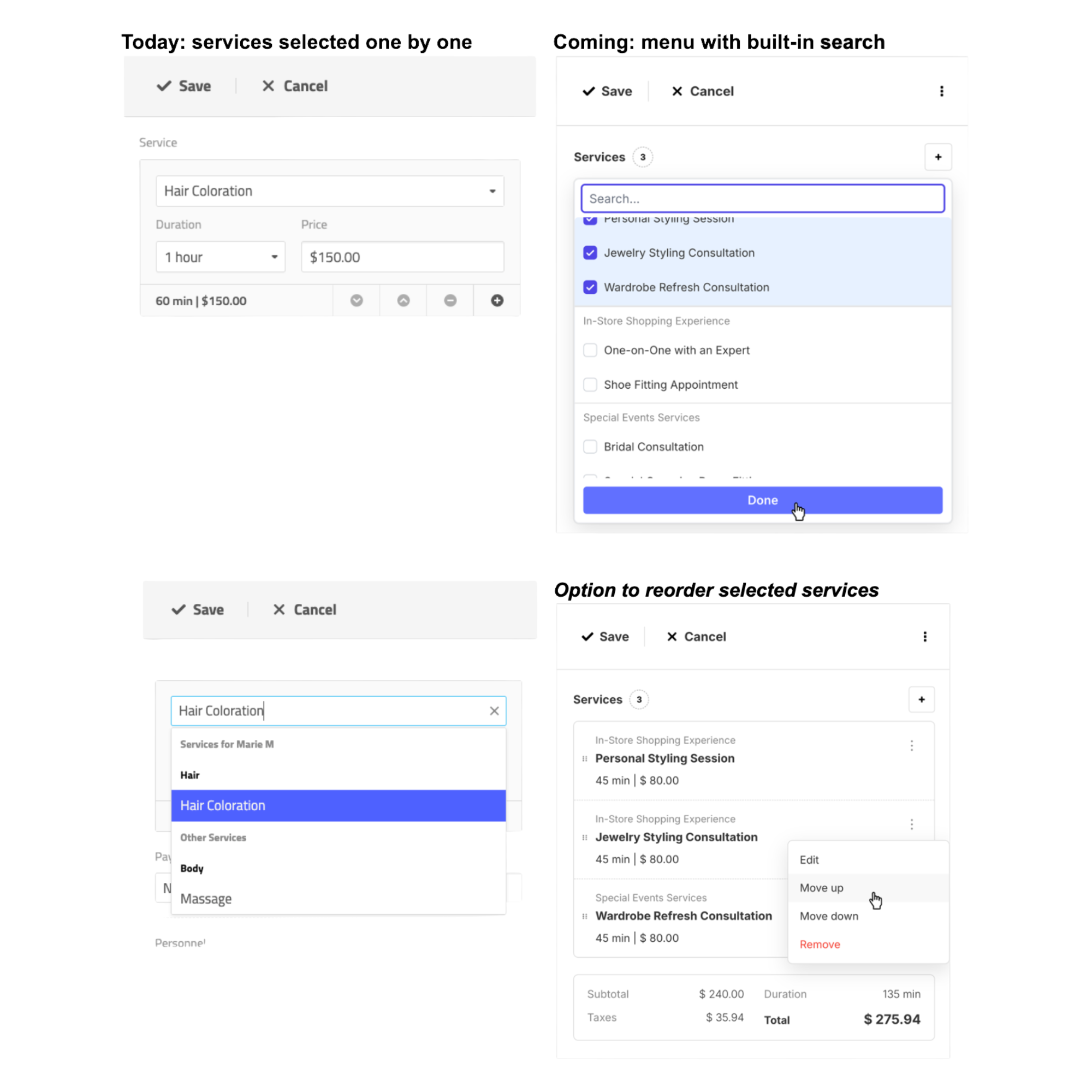
A new selection interface is coming to web and mobile: searchable menu, multi-select in a single action, and the ability to reorder the chosen services. Your teams build a complex booking in just a few clicks, without going back through the same screen multiple times.
The queue list will surface what needs immediate attention: sorting by status (arrived, waiting, confirmed, in progress…), color coding, and the client's quick note visible directly on the line. Your hosts spot what matters most without having to dig into the list.
More To Explore
A connected customer experience, from search to store
Product Update: mastering peak hours in-store
Product Update: capturing every booking intent