


A customer types your store's name into Google. In the seconds that follow, they decide: they take action, or they put it off. The best moment to capture them is that one. Not later, not tomorrow, now.
This window of intent is one of the most underused conversion levers in retail. Our April work fits squarely into this logic: reducing drop-off between a customer's intent and their store visit, and simplifying what slows your teams down and degrades the customer experience.
Here's what's changing.
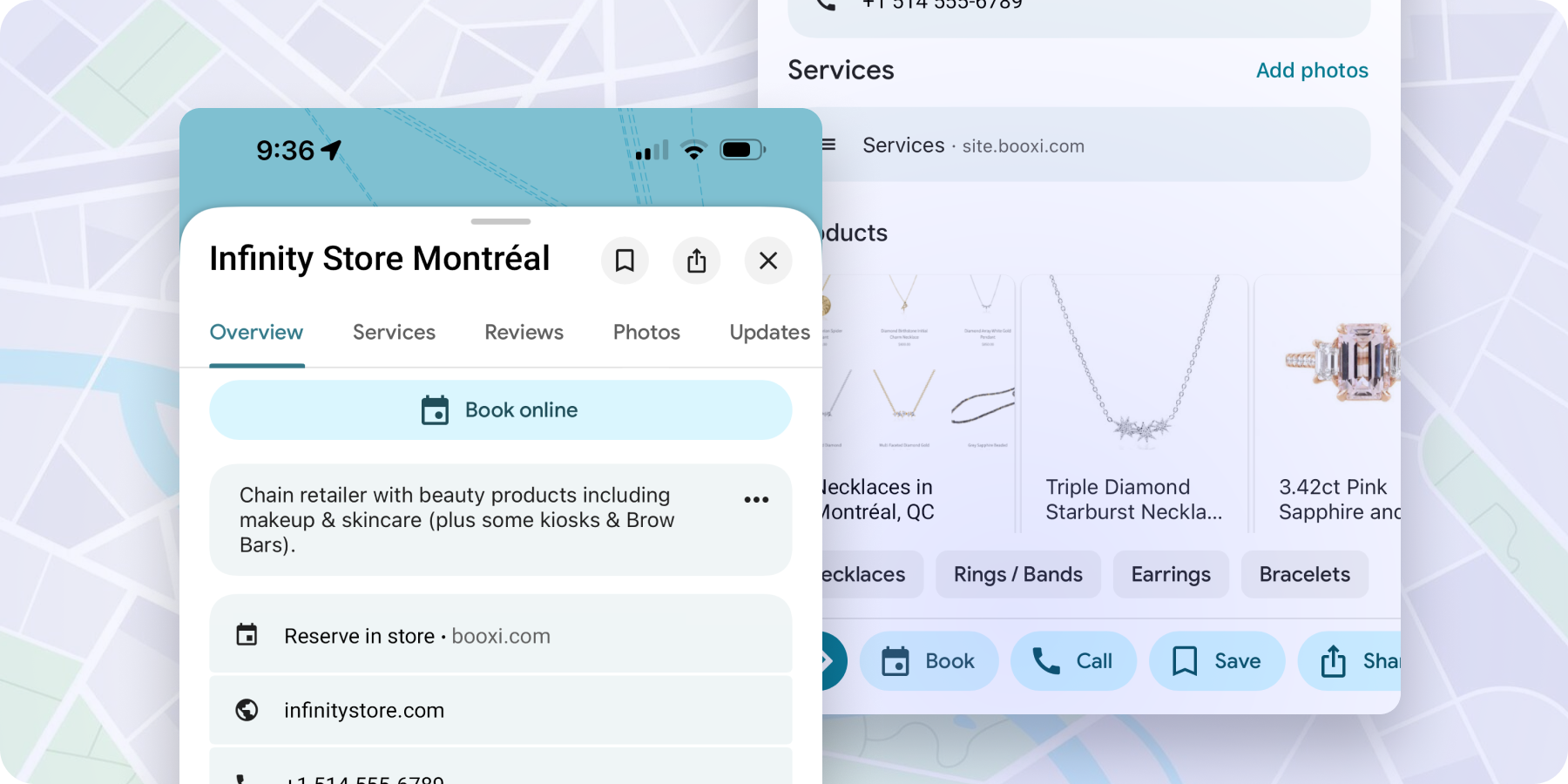
A customer searches for your store on Google. They see your hours, your reviews, and now a "Book" button directly on your Google Business Profile. Why this matters: a customer searching for you on Google is already in buying mode. Every second between that search and a confirmed appointment is either a conversion or a lost opportunity. Reserve with Google removes that friction. Available now. Contact your Customer Success Manager to activate this integration.
Module links (containing external links and metadata) created at the service level from the Booxi Head Office can now be automatically pushed to your store interfaces (Booxi Back Offices).
With a single click at the global level, your services are ready for booking everywhere.
The benefit: No more back-and-forth to deploy booking journeys store by store. Your Head Office team maintains full control, and your stores are instantly operational.
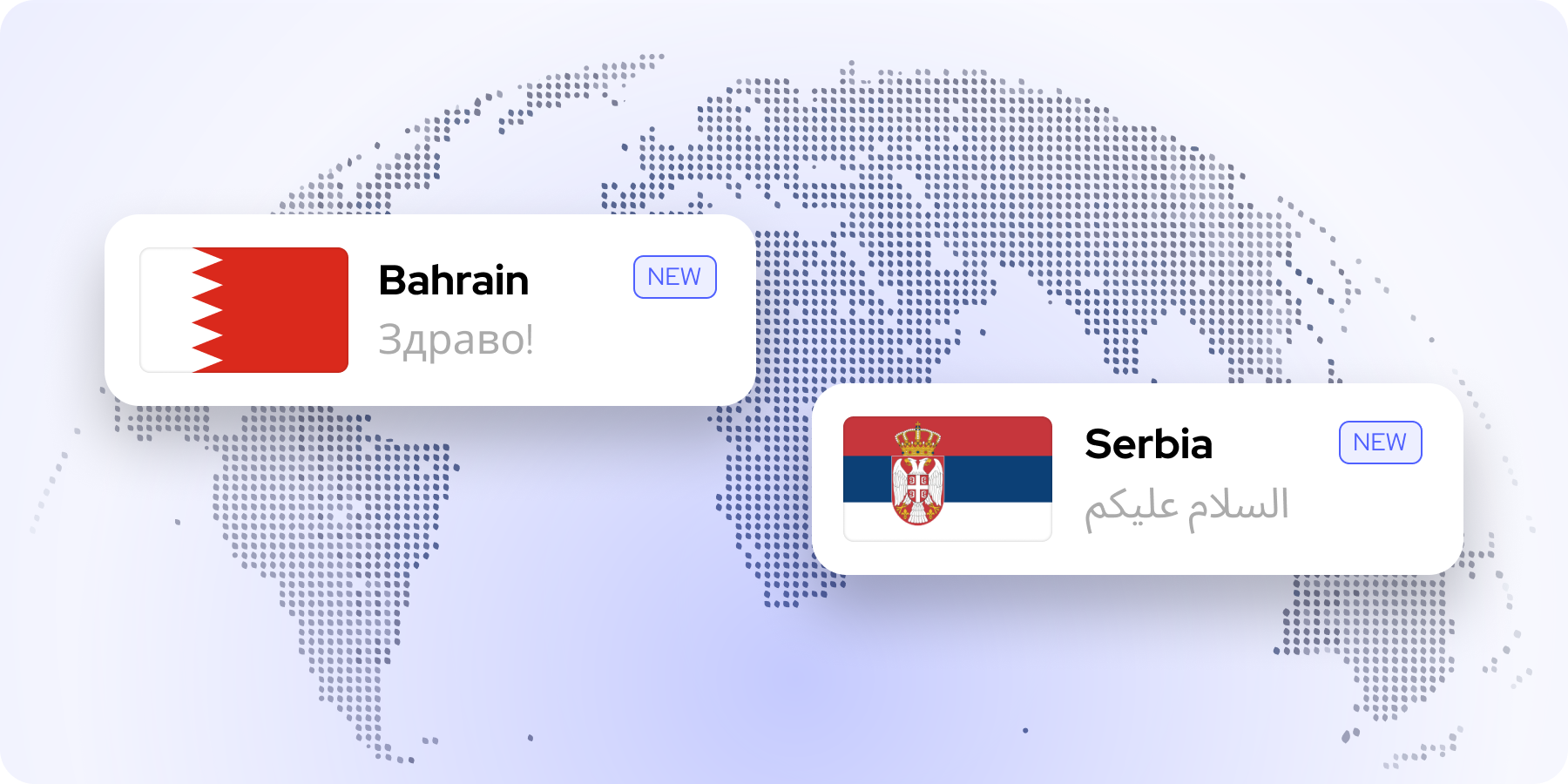
Booxi now supports Bahrain and Serbia, including local currencies and settings. If you operate or plan to expand into these markets, the platform is ready.
Until now, automated follow-ups were sent to all clients post-appointment, regardless of whether they had already rebooked. This often led to poorly timed reminders, especially in sectors like beauty.
We’ve updated the logic:
The goal: Smarter messaging that respects your clients' journey.
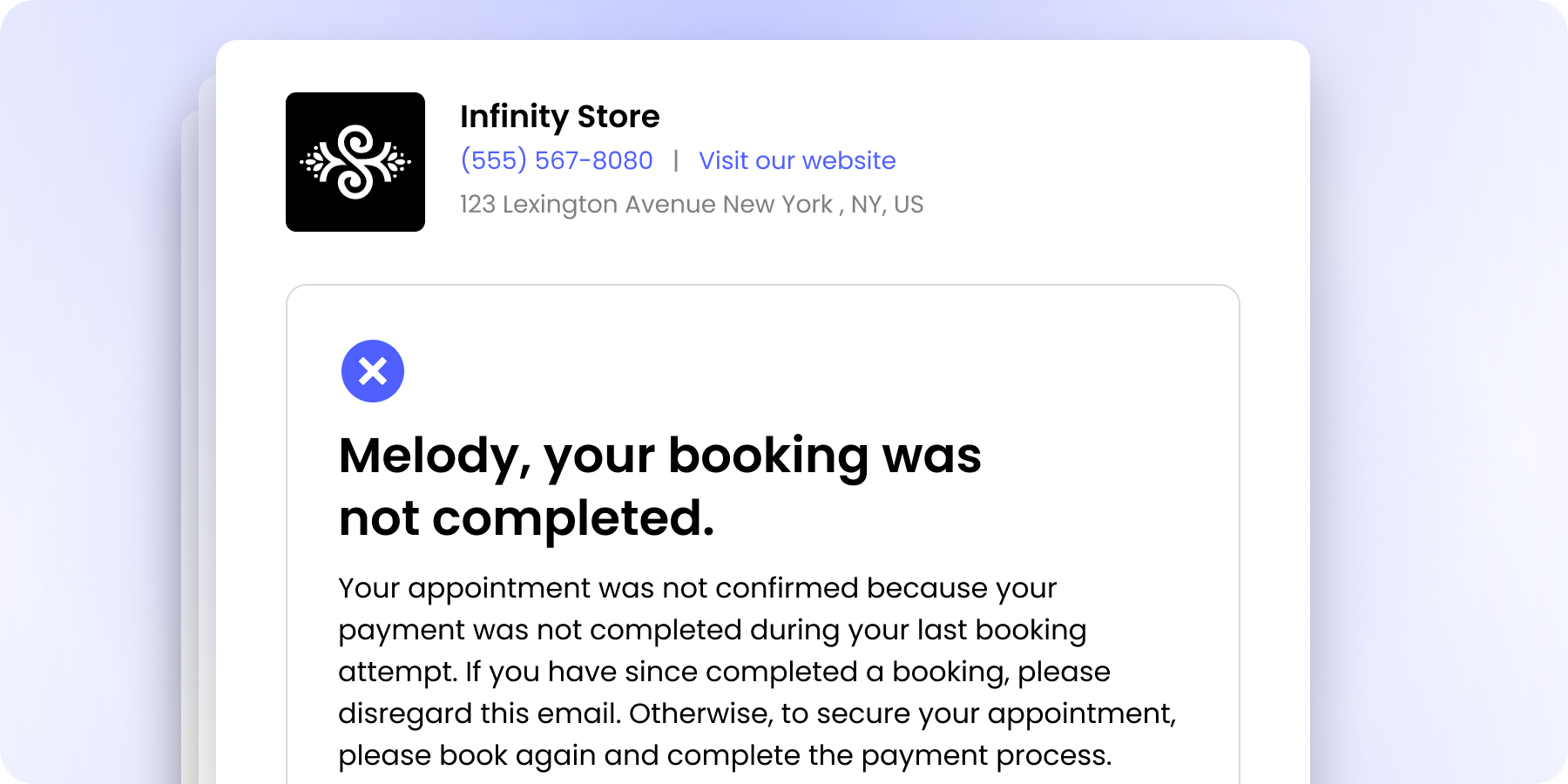
Until now, clients who abandoned an online payment received a "cancellation" notice by mistake. Since the booking was never finalized, this caused confusion.
We have corrected this logic. The email now states: "Your booking has not been completed." By using the right terminology, we eliminate misunderstandings and reduce the number of "Why was my appointment cancelled?" inquiries your staff have to handle.
Two updates in the works to streamline queue management:
1. Smarter staff assignment: When assigning a team member to a queued customer, the interface will now show available staff first, then unavailable, then staff not assigned to the queue. Full flexibility, no wasted time.
2. Optimized entry flow: The field order when creating a queue entry will be reorganized to speed up data entry and improve day-to-day efficiency.
Your technical teams will soon be able to create and update bookings via API while directly assigning resources (rooms, equipment, cabins). One more step toward fully automated booking flows.
Customers will soon be able to join the queue for multiple services at once. Perfect for combined in-store journeys, consultation + fitting, diagnosis + treatment, waxing + manicure, without creating multiple entries.
Over the coming months, we'll be evolving the interface and user experience of our Booking Widget. The goal: a smoother process for your customers, and a cleaner experience for everyone. Here's a preview of the key changes:
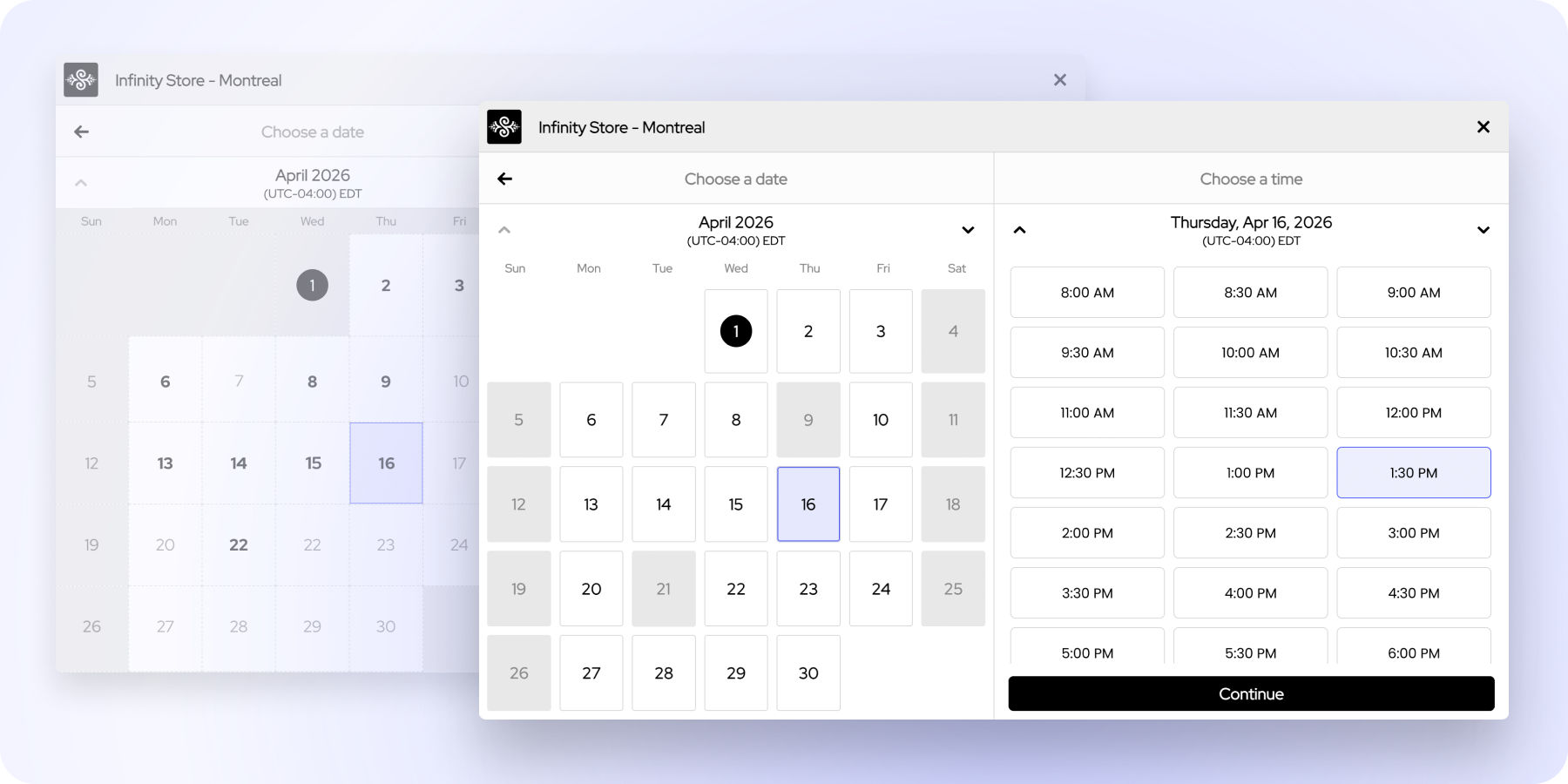
Auto-selection: to save time, the widget will automatically select the first available day and open directly to slot selection. One less step to complete a booking.
Color code redesign: fully booked days will no longer appear on a white background. They'll display in grey, consistent with closed days, to avoid any confusion.
No-availability message: if no slots are available within the next 12 months, an explanatory message will automatically appear, so customers aren't left searching with no result.
More To Explore
A connected customer experience, from search to store
Product Update: mastering peak hours in-store
Product Update: capturing every booking intent