


Retail appointment scheduling software lets customers book in-store visits online and gives multi-location retailers one view of every booking across all their stores and locations.
The platform you choose decides how much of that booked traffic turns into in-store sales, which makes it a revenue decision for your stores.
These 7 steps help you evaluate your options and choose the system that fits how your stores actually sell.
Retail appointment scheduling software has to handle more than one booking type, so the first step is mapping every customer interaction you need to run. Define the 3 formats up front: 1:1 appointments, where one customer books time with a staff member; group events, where several customers register for the same session; and walk-in or queue flow, for customers who arrive without a reservation.
Treating a group session as an appointment is the most common mapping error, because events need their own registration, check-in, and capacity logic that 1:1 booking can't provide.
Once the formats are clear, list the specific services each store offers so the platform can manage them as distinct booking flows. Documenting these services against established appointment best practices keeps the structure realistic instead of theoretical:
This map becomes your evaluation baseline, since a tool that handles calendars but not walk-in traffic or group events will force your teams back into the manual workarounds you're trying to replace.
A single boutique and a 200-store network have almost nothing in common in how they handle scheduling, so define your requirements at both levels before you compare vendors. Enterprise retailers need centralized control across every store paired with enough store-level simplicity that frontline teams actually use the tool. Get this balance wrong and headquarters either loses visibility or buries each store in settings it can't manage.
The requirements that separate a true network platform from a single-store app are specific, so test for each one:
A single store can run on a flat calendar, but a network lives or dies on this centralized layer. It keeps data and brand standards consistent while still letting each location operate independently. Score every shortlisted platform against these 4 requirements before individual features even enter the conversation.
Once your use cases and network requirements are set, pressure-test the core booking features that every serious platform must get right. These are the non-negotiables, so keep your scoring simple: each of the next 3 capabilities either works for your network or it doesn't. A polished demo can still hide gaps in online and mobile booking, so confirm each one performs the way your stores need before you weigh anything optional.
Online self-scheduling is the ability for customers to book their own appointments over the web or a mobile app, 24/7, exactly when they want, without calling the store. The feature only delivers if it runs on real-time availability: the calendar shows which time slots are genuinely available and updates the moment a booking lands, which prevents the double-booking that erodes trust on the first visit.
Confirm that availability syncs instantly across channels and staff schedules, so a slot booked online disappears everywhere at once.
Few features protect booked revenue as directly as automated reminders built to reduce no-shows. When the platform sends SMS and email notifications automatically at set intervals, customers show up prepared and no-show rates drop.
Across multi-location retail networks, the average no-show rate sits around 4%, but it varies sharply by vertical: beauty retailers see rates above 6%, pet stores near 7%, while department stores run closer to 2% (source: Booxi, Voice of Appointment Report). Knowing your vertical baseline tells you exactly how much revenue automated reminders protect.
Just as important, let customers make changes themselves: a self-serve link to cancel or reschedule turns a would-be no-show into a kept appointment at a better time, with the calendar updating automatically for staff.
When your services differ in length, prep, or staffing, a one-size booking form falls apart, so the platform has to let you customize the flow per service. A frame fitting, a beauty consultation, and a product-care drop-off each need their own intake questions, duration, and resource rules, and the right tool lets you create those distinct flows without engineering help.
Check that you can assign the correct staff or room to each service and adjust the process as your offer evolves, so adding a new service next quarter is a settings change rather than a project.
This is the step that separates real retail appointment scheduling software from a glorified calendar. Even today, 84% of retail sales still happen in physical stores, so the platform's real job is to capture online intent and convert it into booked, high-value store visits you can measure. Look for tools that show the full path customers take: how they find you online, schedule a visit, and what that visit produces in the store, with the data to track every stage.
Unlike online-only schedulers that end at a confirmed time slot, a retail platform treats every booking as a drive-to-store event. The research a shopper does beforehand is not a side channel: online behavior influences 56% of in-store sales, which makes the booking moment the bridge between a browsing customer and a paying one.
Confirm the platform lets customers book from everywhere they discover you, including your website, social profiles, product pages, and the store locator, so intent is captured the instant it appears.
A booking you can't measure is a booking you can't justify, so demand revenue attribution that ties each appointment back to what it earned at the register. The platform should connect bookings to POS sales, basket size, and conversion tracking, then surface that data as real-time reporting broken down by store, by staff member, and by service.
With per-location KPIs you can track which services drive revenue and double down on them, turning the booking calendar into a performance dashboard rather than a logbook. None of these numbers materialize if the platform can't connect to the systems already running your stores, which is the next box to check.
For a deeper look at how booked appointments translate into store-level revenue and conversion, see Booxi's Voice of Appointment Report.
Choose a platform that plugs into the stack you already run, not one that forces your stores onto a parallel system. Retail appointment scheduling earns its keep only when you connect appointment software to the rest of your ecosystem, so verify native integration with the systems that matter:
A booking tool that can't share data is a silo, and a silo quietly doubles the manual work it was supposed to remove. Favor vendors whose integration support is documented and staffed; a connector is only as reliable as the team maintaining it, and that gap is the difference between a setup that holds and one that breaks at the next software update. Reliability at the connector level is only half the story, though; the platform itself still has to clear a harder bar on security and compliance.
Enterprise buyers take on legal and operational risk the moment customer data enters a booking system, so treat security and compliance as a pass-or-fail gate rather than a nice-to-have. Thin, SMB-oriented tools routinely skip the controls a store network is held to, so confirm the platform meets each enterprise requirement before it touches a single customer record:
Reliability belongs in the same conversation as security: a platform that protects data but goes down during peak hours still costs you visits. Ask for the vendor's incident history and the support commitments that back the SLA, then confirm someone is accountable when something breaks. With the platform proven safe and stable, the last gate is whether your teams will actually use it and what that adoption costs.
If a platform is priced right but your store teams won't use it, you've bought shelfware, not a solution. Start with how pricing scales, then weigh the onboarding and support that decide whether the rollout sticks:
Adoption is what turns a contract into ROI, so judge every finalist on how a busy team will use it on the floor, not just how it demos to head office. A tool your staff finds simple will outperform a feature-rich platform they quietly abandon, every time.
Searches for "retail scheduling software" pull up 2 different categories that solve opposite problems, and buying the wrong one wastes a procurement cycle. Appointment scheduling software is customer-facing: it manages the bookings, visits, and services your shoppers reserve. Staff scheduling software, sometimes called workforce scheduling, is employee-facing: it organizes which employees work which shifts and hours.
The fastest way to tell which one you need is to look at what it organizes: appointment scheduling handles customer bookings, in-store visits, and the services tied to them, while staff scheduling handles employee shifts, hours, labor compliance, and payroll inputs.
If your goal is to get more customers booking and converting in store, you're shopping for the appointment category this guide covers. If you need to build weekly shift rotas, track hours, and keep schedules aligned with labor rules and payroll, that's workforce scheduling and a different class of tool. Some retailers eventually run both, but they're bought, evaluated, and integrated separately.
Most bad fits come from a handful of avoidable mistakes, and spotting them early keeps you from locking your business into the wrong solution. Watch for these traps as you compare options:
Avoid these and you've already narrowed the field to the platforms that can actually run a retail network. The right choice is the solution that fits your stores, your stack, and your teams, not the one with the longest feature list.
You've seen what separates a real retail platform from a calendar: multi-location control, conversion tracking, integrations, security, and team adoption. Booxi delivers all of it as enterprise retail appointment scheduling software that unifies appointments, events, and queue management, giving headquarters full visibility while keeping each store simple enough for frontline teams to run. Built for retail networks instead of single shops, it's the solution that turns booked visits into measured revenue, so talk to an expert to map it to your network.
Retail appointment scheduling software is a customer-facing platform that lets shoppers book in-store visits, services, and events online, then gives retailers one place to manage those bookings across every location. Unlike a basic calendar, it connects each booking to the in-store experience and the revenue it produces. For a breakdown of how this works in practice across verticals, see The Voice of Appointment Report.
Appointment scheduling manages your customers, while staff scheduling manages your employees. The first handles bookings, visits, and services; the second handles shifts, hours, and labor compliance.
At a minimum, look for online self-scheduling with real-time availability, automated reminders with easy rescheduling, and customizable booking flows by service. Beyond the basics, enterprise retailers need multi-location control, POS and CRM integrations, and store-level reporting that ties bookings to revenue.
Yes. Across retail networks using appointment scheduling, booked visits typically convert between 70% and 80%, well above the rate of unplanned walk-ins. Shoppers who research online before visiting arrive with purchase intent already formed, which is exactly what a booking captures. By tying each appointment to POS data, you can measure that lift per store and per service rather than assuming it.
Pricing usually scales with usage, billed per user, per calendar, or per location, and most vendors offer tiered plans that grow with your network. Enterprise rollouts are typically quoted through a demo or contact-sales process rather than a flat public price.
The integrations that matter most are POS, so bookings tie back to actual sales, and CRM or clienteling, so customer history follows each visit. Staff and business calendars keep availability accurate, while an open API and webhooks let you connect anything else your stack runs.
Multi-location retailers should choose enterprise software built for a store network, since SMB tools that demo well often can't scale past a handful of locations. Look for central calendar governance, per-location customization, and HQ reporting that an SMB calendar app can't deliver.
Store-team adoption decides ROI because a platform your frontline staff won't use returns nothing, no matter how rich its feature list. A tool that stays simple enough to book a customer in seconds gets used every shift, which is what turns the contract into revenue.
More To Explore
How to Choose Retail Appointment Scheduling Software in 7 Steps
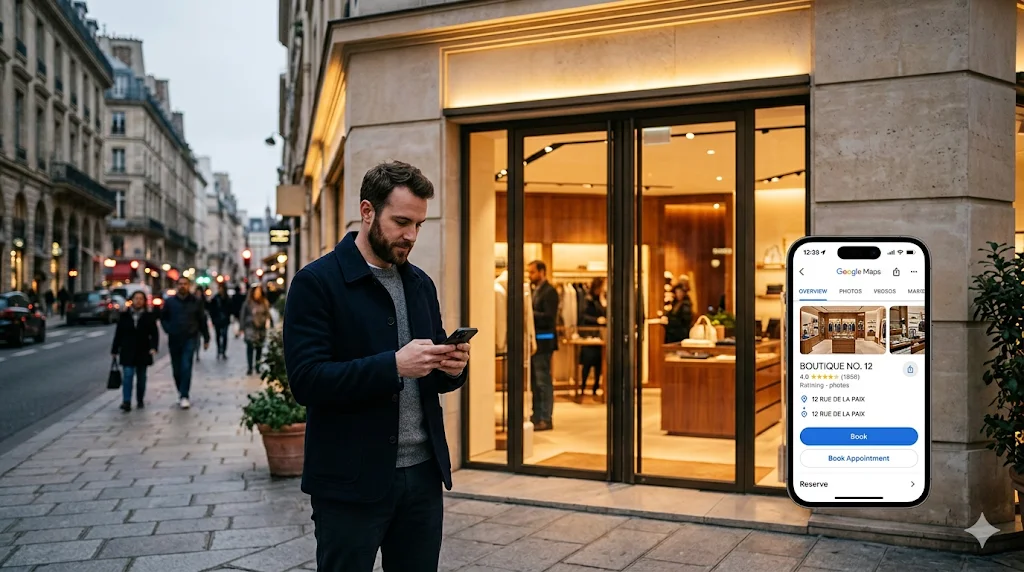
Reserve with Google for Retail: The Complete Guide

The 6 Retail Appointment Types Every Retailer Should Know