


This March, we’ve focused on journey fluidity. Whether it’s pooling your resources between appointments and walk-ins or harmonizing your brand’s visual identity, every update was designed to give time back to your teams and provide total clarity to your customers.
Now, let’s take a look at the latest updates shaping Booxi this month.
First, by empowering your customers to join the queue on their own terms.
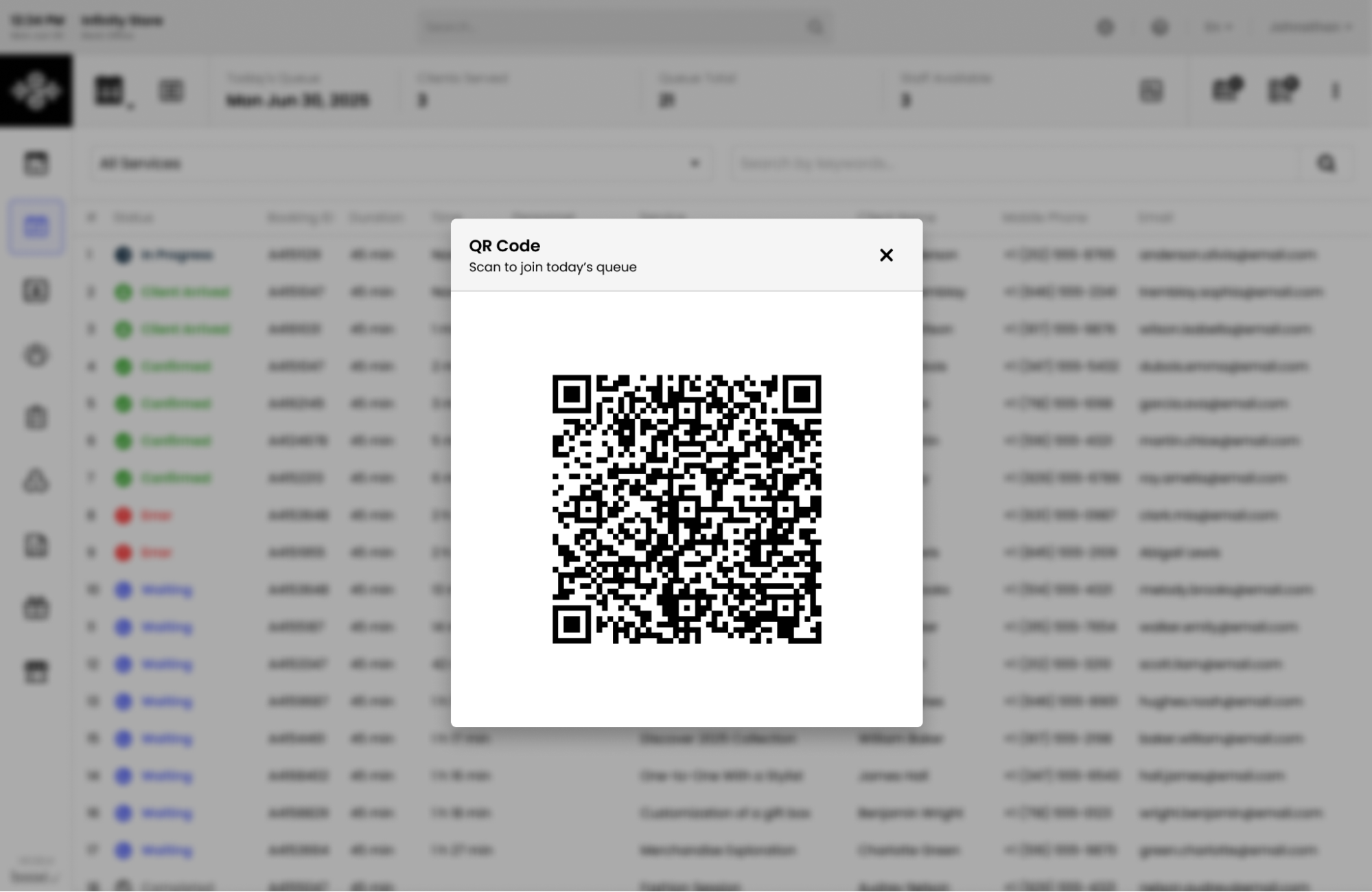
With Booxi, customers can add themselves to the daily waitlist instantly, whether by scanning a QR code in your window or on the counter, or directly through your online booking widget.
The result: no more waiting for a staff member to check them in, no more crowding at the entrance, and a reception flow that is seamless, natural, and always under control.
It’s a game-changer for the in-store experience:
Your team can breathe, your customers can circulate, and your store maintains its momentum without ever compromising the experience.
Next, by integrating resource management directly into your queue system.In retail, responsiveness is the key to a great welcome. For brands that share the same resources, such as fitting rooms, specialized equipment, or private suites, between scheduled appointments and walk-ins, you now have total, real-time visibility.
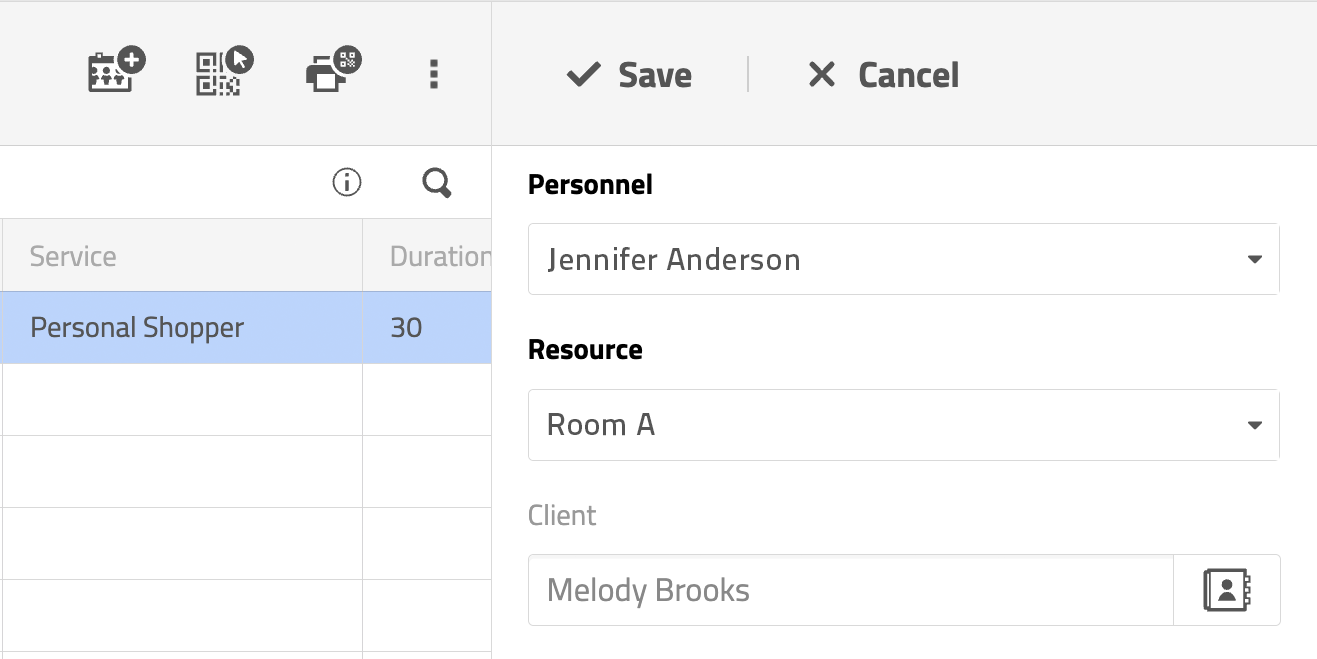
Wait times in your digital queues now reflect the real-time availability of these shared resources. This synchronization ensures customers receive reliable information the moment they arrive. Your teams also gain flexibility: you can now reassign a resource to a customer while they are still in the queue, allowing for more agile day-to-day management of your physical space.
Note: This feature is not yet available on the mobile app.
The customer journey doesn’t end when a slot is booked. Confirmation and reminder emails are often the most viewed touchpoints before a visit.
Thanks to our Theme feature, you can now fully customize your automated emails to faithfully reflect your brand’s visual identity. Just like your booking widget, your emails become an extension of your world. By using your specific colors and fonts, you strengthen brand consistency with every message sent.
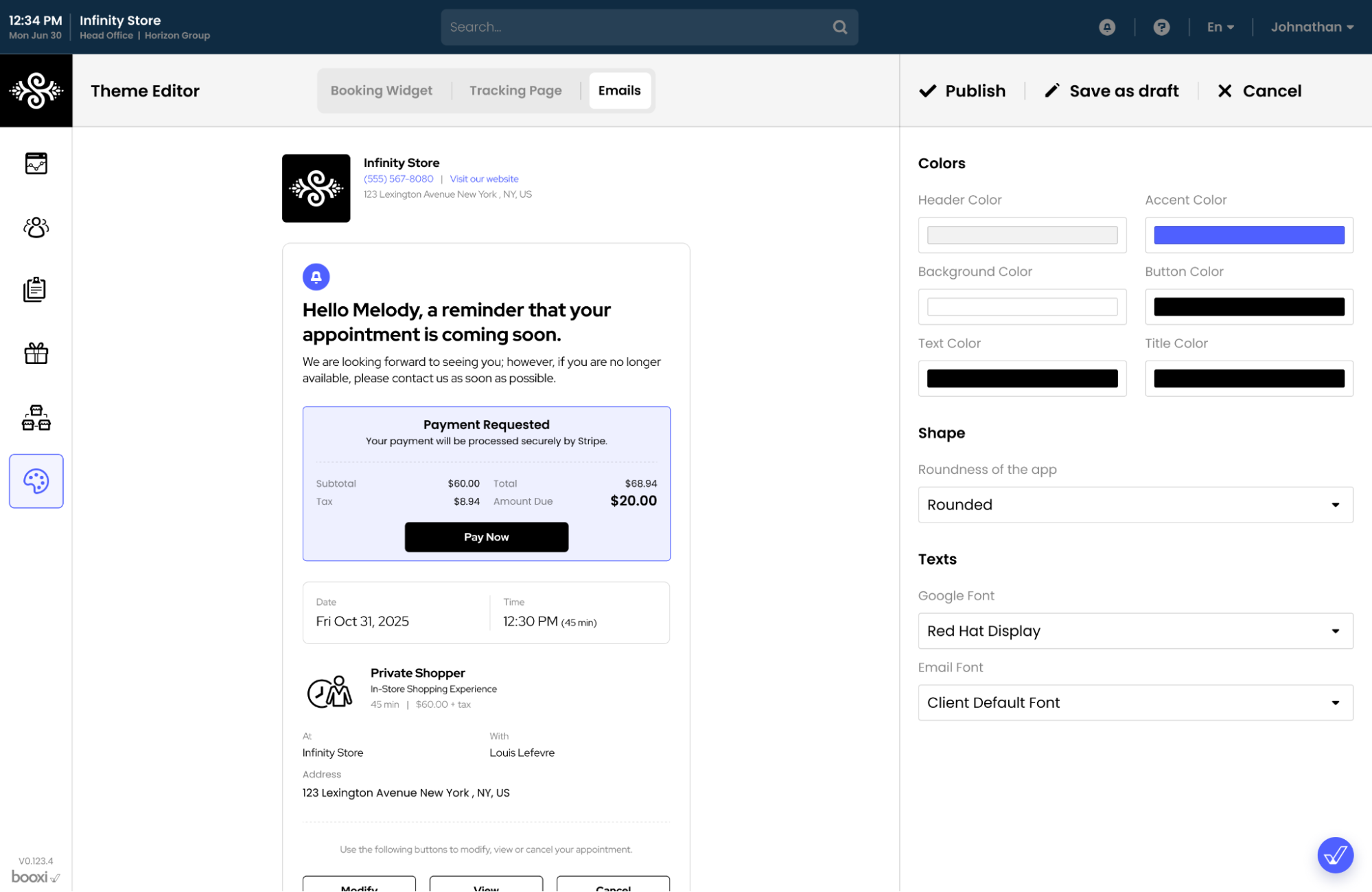
This option is available for Head Office (HO) accounts.
To activate it, please contact your Customer Success Manager.
For your technical teams and partners, we continue to expand our integration capabilities to automate low-value tasks and improve data reliability:
We’re already working on the next steps to further simplify your operations and boost conversions:
More To Explore
A connected customer experience, from search to store
Product Update: mastering peak hours in-store
Product Update: capturing every booking intent